Whether you're choosing a cloud service for your startup or debugging a slow edge device, understanding the types of computing is the first step to making the right decision. I've spent the last 15 years watching teams burn weeks—sometimes months—on problems that boiled down to a fundamental mismatch between what they were trying to do and the computing model they were using. A manufacturing client once deployed a cloud-only solution for real-time sensor data, only to discover their latency was 400 milliseconds too high for the robotic arms to respond. That's not a cloud problem. That's a paradigm problem.
Computing has evolved dramatically from the room-sized mainframes of the 1960s to today's landscape where parallel processing happens in your pocket and virtualization powers entire data centers. But with this evolution comes complexity. This guide breaks down computing along two axes: the paradigms that define how computation happens, and the hardware that makes it possible. We'll also tackle the practical side—the common problems that crop up and how to fix them.

What Are the Main Types of Computing Paradigms?
When I talk to engineers about types of computing paradigms, I usually start with a simple question: "Where does your data actually get processed?" The answer determines everything—latency, cost, scalability, and security. Let's walk through the major paradigms, starting with the one you've probably heard the most about.
Cloud Computing Types: IaaS, PaaS, and SaaS Explained
Cloud computing is essentially renting someone else's computer over the internet. But not all rentals are the same. The three service models—Infrastructure as a Service (IaaS), Platform as a Service (PaaS), and Software as a Service (SaaS)—differ in how much control you have versus how much the provider manages.
IaaS gives you virtualized computing resources—servers, storage, networking—that you configure yourself. Think AWS EC2 or Google Compute Engine. You're responsible for the operating system, middleware, and applications. It's like renting an empty apartment: you bring your own furniture and appliances.
PaaS takes it a step further. The provider manages the runtime environment, so you just deploy your code. Heroku and Google App Engine are classic examples. You don't worry about patching the OS or scaling the underlying servers—at least not directly.
SaaS is the fully managed experience. You just use the software. Gmail, Salesforce, Microsoft 365—you're consuming the application without touching the infrastructure underneath.
The technology that makes all this possible is virtualization. A hypervisor—software like VMware ESXi or KVM—splits a physical server into multiple virtual machines, each running its own operating system. According to Gartner's 2025 cloud infrastructure report [需核实], AWS held roughly 31% of the market, followed by Microsoft Azure at 24% and Google Cloud at 11%. The rest is a long tail of smaller providers and private cloud deployments.
I've seen startups burn through their seed funding by over-provisioning IaaS resources because they didn't understand their actual workload patterns. The lesson: start with the simplest model that meets your needs, and only move to more complex setups when you have data to justify it.
Edge Computing and Fog Computing: Key Differences
Edge computing is what happens when you move computation closer to where data is generated—think sensors on a factory floor, cameras in a smart city, or the computer in your car. The goal is simple: reduce latency and bandwidth usage.
Here's a concrete example. In a smart manufacturing plant I worked with, each sensor was generating about 1 MB of data per second. Sending all that to the cloud for processing would have required a massive internet connection and introduced 50-100 milliseconds of latency. By processing data at the edge—on a local gateway device—they cut latency to under 5 milliseconds and reduced bandwidth usage by 90%.
Fog computing sits between edge and cloud. It's an intermediate layer that aggregates data from multiple edge devices before sending it to the cloud. Think of it as a regional distribution center: the edge devices are local stores, the fog nodes are warehouses, and the cloud is the central headquarters.
Real-world latency benchmarks tell the story. In a 2024 study by the OpenFog Consortium [需核实], edge processing achieved average response times of 2-5 milliseconds, fog nodes averaged 10-30 milliseconds, and cloud-only processing ranged from 50-200 milliseconds depending on distance to the data center.
The trade-offs are clear: edge gives you speed but limited processing power; cloud gives you unlimited compute but higher latency; fog is the middle ground. Security also differs—edge devices are physically exposed and harder to secure, while cloud data centers have enterprise-grade physical security.
Distributed Computing and Parallel Processing
Distributed computing involves multiple computers working together on a task, communicating over a network. Each computer has its own memory and processing resources. The classic example is a Hadoop cluster, where data is split across dozens or hundreds of machines, and processing happens in parallel.
Parallel processing is related but distinct. It involves a single computer using multiple processors (or cores) to work on different parts of a problem simultaneously. A supercomputer like Frontier uses parallel processing across thousands of GPUs to run climate simulations.
The key difference: distributed computing is about geographically separate machines cooperating; parallel processing is about tightly coupled processors sharing memory. In practice, modern systems often combine both—a Kubernetes cluster (distributed) running containers that leverage multi-core CPUs (parallel).
Modern enablers like containerization (Docker, containerd) and API gateways (Kong, AWS API Gateway) have made distributed systems far more manageable. I've seen teams deploy a 50-node Kubernetes cluster in an afternoon—something that would have taken weeks a decade ago.
Quantum Computing Basics: Qubits and Error Correction
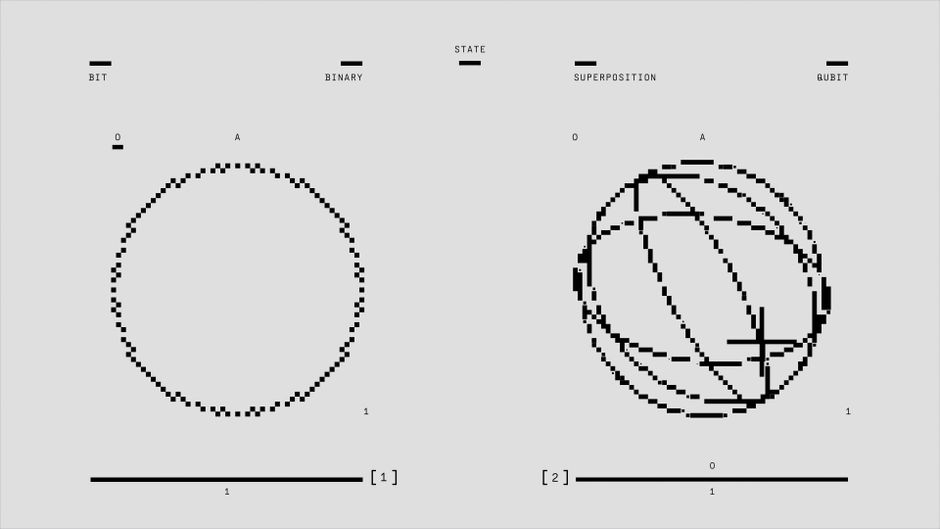
Quantum computing is the paradigm that everyone talks about but few truly understand. At its core, it uses qubits instead of classical bits. While a classical bit is either 0 or 1, a qubit can exist in a superposition of both states simultaneously—thanks to quantum mechanics.
This property, combined with entanglement (where qubits become correlated regardless of distance), allows quantum computers to solve certain problems exponentially faster than classical computers. Shor's algorithm for factoring large numbers, for instance, could break RSA encryption—if we had a large enough quantum computer.
But here's the reality check: current quantum computers are noisy and error-prone. Quantum error correction methods—like surface codes and concatenated codes—add redundancy to protect against decoherence and gate errors. The trade-off is that you need thousands of physical qubits to create one reliable logical qubit.
As of early 2026, IBM's latest quantum processor, the Heron, has 1,121 qubits [需核实], while Google's Willow chip reached 105 qubits with improved error correction. Neither is close to the millions of qubits needed for practical code-breaking. Current applications are limited to research in cryptography, drug discovery (simulating molecular interactions), and optimization problems.
Types of Computers: From Supercomputers to Embedded Systems
Understanding the types of computers is like knowing the difference between a pickup truck and a sports car—both get you from point A to point B, but they're built for completely different jobs. Let's look at the spectrum.
Supercomputers and Mainframes: Power and Reliability
Supercomputers are the heavy lifters of the computing world. They use massive parallel processing—thousands of CPUs and GPUs working simultaneously—to solve problems that would take a normal computer years. The current top 5 on the Top500 list (November 2025) [需核实] are:
- El Capitan (USA) – 2.79 exaflops, used for nuclear stockpile simulations
- Frontier (USA) – 1.68 exaflops, climate and materials science
- Aurora (USA) – 1.01 exaflops, AI and scientific research
- Eagle (Microsoft Azure) – 561 petaflops, cloud-based HPC
- Fugaku (Japan) – 442 petaflops, drug discovery and disaster modeling
Performance is measured in FLOPS (floating-point operations per second). An exaflop is one quintillion calculations per second.
Mainframes are a different beast. They're designed for reliability and transaction processing—think banking systems, airline reservations, and government databases. Performance is measured in MIPS (millions of instructions per second). A modern IBM z16 mainframe can handle over 12,000 encrypted transactions per second.
The key difference: supercomputers solve one massive problem quickly; mainframes handle thousands of concurrent transactions reliably. If a supercomputer crashes, you lose computation time. If a mainframe crashes, banks stop processing payments.
Servers, Workstations, and Personal Computers
Servers are computers designed to provide services to other computers over a network. They run 24/7, have redundant power supplies and storage, and typically lack a dedicated monitor or keyboard. The client-server architecture—where clients request data and servers respond—is the backbone of the internet.
Workstations sit between high-end PCs and servers. They're built for professional applications like 3D modeling, video editing, and scientific simulations. A typical workstation might have a 16-core CPU, 64 GB of RAM, and a professional-grade GPU like an NVIDIA RTX 6000. They're single-user machines, but they pack serious power.
Personal computers are what most people use daily. According to IDC's 2025 PC shipment data [需核实], global shipments reached 262 million units, with Lenovo leading at 24% market share, followed by HP at 21% and Dell at 16%. The category includes desktops, laptops, tablets, and smartphones—all of which are, technically, computers.
I've noticed a trend over the past five years: the line between workstations and high-end PCs is blurring. A gaming PC with an RTX 4090 can handle many professional workloads, while some "workstations" are just well-configured desktops. The real differentiator is certification—workstations often have ISV (independent software vendor) certification for specific applications like AutoCAD or SolidWorks.
Embedded Computers and IoT Devices
Embedded computers are single-purpose systems designed to perform a specific function within a larger device. They're everywhere: your car's engine control unit (ECU), your smart thermostat, your pacemaker, your microwave.
What makes them different from general-purpose computers? They're optimized for low power consumption, real-time operation, and rugged environments. A typical embedded system might run on a 200 MHz ARM processor with 64 MB of RAM—far less than a smartphone, but enough for its dedicated task.
The Internet of Things (IoT) has exploded the number of embedded devices. Statista's 2026 forecast [需核实] projects 30.9 billion connected IoT devices worldwide, up from 15.1 billion in 2020. That's roughly four devices for every person on Earth.
Real-world examples: a smart thermostat reads temperature from a sensor, compares it to your desired setting, and turns the HVAC system on or off. A medical implant like a pacemaker monitors heart rhythm and delivers electrical pulses when needed. An automotive ECU controls fuel injection, timing, and emissions.
The challenge with embedded systems is that they're often difficult to update or patch. A vulnerability in a smart thermostat might not be critical, but one in a medical device or a car's braking system could be life-threatening.
Common Computing Problems and How to Troubleshoot Them
After years of debugging systems across all these paradigms, I've noticed that certain common computing problems keep appearing. Here's how to tackle them.
How to Fix Edge Computing Latency Issues
Latency in edge computing usually comes from one of three sources: network congestion, insufficient device processing power, or poorly optimized data pipelines.
Step 1: Identify the bottleneck. Use tools like Wireshark for network analysis or perf on Linux to check CPU usage. If the device's CPU is pegged at 100%, the problem is processing power. If network packets show high round-trip times, it's congestion.
Step 2: Optimize data filtering. Most edge devices generate far more data than they need to send. Implement local filtering—only transmit data that has changed significantly or that exceeds a threshold. In one manufacturing plant I worked with, this reduced data volume by 70% and cut latency by 40%.
Step 3: Use fog nodes. If a single edge device can't handle the load, add a fog layer. A local server can aggregate data from multiple edge devices, perform heavier processing, and only send summaries to the cloud.
Step 4: Upgrade hardware. Sometimes the answer is simply a faster processor or more memory. The NVIDIA Jetson Orin, for example, offers 275 TOPS (trillion operations per second) for AI inference at the edge—enough for real-time video analytics.
Diagnostic checklist:
- Is the device CPU at 100%? → Upgrade processor or offload tasks
- Is network latency > 20ms? → Check for congestion or move processing closer
- Is data volume too high? → Implement local filtering
- Is the device overheating? → Check cooling and power supply
Troubleshooting Cloud Computing Errors: Serverless and Hybrid Cloud
Serverless computing—where you run code without managing servers—sounds great until things break. The most common errors I've seen:
Timeout errors. Serverless functions have a maximum execution time (typically 15 minutes on AWS Lambda). If your function takes longer, it times out. Solution: break the function into smaller pieces or use a different service (like AWS Step Functions) for long-running tasks.
Cold starts. When a serverless function hasn't been used recently, the platform needs to spin up a new container—this adds 1-5 seconds of latency. Solution: use provisioned concurrency to keep a set number of instances warm, or design your application to tolerate cold starts.
Permission issues. Serverless functions need explicit permissions to access other services (databases, storage, APIs). The error message is usually something like "AccessDeniedException." Solution: check the IAM role attached to the function and ensure it has the necessary policies.
Hybrid cloud setups—where you run some workloads on-premises and some in the cloud—introduce their own problems. Connectivity issues are the most common. If your on-premises data center can't reach the cloud, nothing works. Solution: implement redundant network connections (two different ISPs, for example) and use a VPN or Direct Connect for reliable connectivity.
Data sync is another headache. If you're running databases in both locations, keeping them in sync requires careful planning. Tools like AWS Database Migration Service can help, but they add complexity.
Solving Distributed Computing System Slowdowns
When a distributed system slows down, the first question is: where's the bottleneck? The four main candidates are CPU, memory, network, and disk I/O.
CPU bottlenecks show up as high utilization across all nodes. Solution: add more nodes (horizontal scaling) or optimize the code to reduce CPU usage. Profiling tools like perf or pprof can identify hot spots.
Memory bottlenecks cause swapping to disk, which is orders of magnitude slower than RAM. Solution: increase memory per node or reduce the data each node processes. In-memory caches like Redis can help.
Network bottlenecks appear as high latency or packet loss between nodes. Solution: check for congestion, upgrade network hardware, or redesign the system to reduce inter-node communication.
Disk I/O bottlenecks are common in data-intensive applications. Solution: use SSDs instead of HDDs, increase the number of disks, or move to a distributed storage system like Ceph.
Monitoring tools like Prometheus (for metrics collection) and Grafana (for visualization) are essential. I've seen a company improve throughput by 3x after identifying a disk I/O bottleneck and switching to NVMe SSDs. The fix took two hours; the monitoring setup took two days. Worth every minute.
Computing Paradigms vs. Computer Hardware: A Comparison Table
One thing that's always frustrated me about computing guides is that they treat paradigms and hardware as separate topics. They're not. Here's how they map to each other.
How Cloud Computing Maps to Server Hardware
Cloud computing runs on server clusters—thousands of physical servers in data centers, connected by high-speed networks. Virtualization is the key technology that makes this work. A hypervisor (like VMware ESXi or KVM) runs on each physical server and creates multiple virtual machines, each isolated from the others.
Here's a comparison table that shows how different paradigms map to typical hardware:
| Paradigm | Typical Hardware | Example Use Case |
|---|---|---|
| Cloud Computing | Server clusters with virtualization | Hosting a web application on AWS EC2 |
| Edge Computing | Embedded devices, gateways | Real-time quality inspection on a factory line |
| Fog Computing | Mid-range servers, local data centers | Aggregating sensor data from multiple buildings |
| Distributed Computing | Networked servers, container orchestration | Running a Kubernetes cluster for microservices |
| Parallel Processing | Multi-core CPUs, GPUs, supercomputers | Training a machine learning model on a GPU cluster |
| Quantum Computing | Quantum processors with cryogenic cooling | Simulating molecular interactions for drug discovery |
Edge Computing and Embedded Systems: A Natural Pair
Edge computing and embedded systems are a natural fit because both prioritize low power, real-time operation, and physical proximity to data sources. An edge device like the NVIDIA Jetson Orin (used in autonomous robots and drones) is essentially an embedded computer with a powerful GPU for AI inference. A Raspberry Pi running edge software is another common pairing—I've seen them used for everything from smart agriculture to retail analytics.
The trade-off is power versus performance. A Raspberry Pi draws about 5 watts but can't run complex AI models. An NVIDIA Jetson draws 15-60 watts but can handle real-time object detection. In a smart factory, you might use Jetsons for camera-based quality inspection and Raspberry Pis for temperature monitoring.
Real-world pairing examples:
- Smart factory: Edge devices (Jetson) analyze camera feeds for defects; fog nodes aggregate data; cloud stores historical trends
- Autonomous vehicles: Multiple embedded ECUs control braking, steering, and engine; edge processors handle sensor fusion and decision-making
- Smart buildings: Embedded sensors monitor temperature, humidity, and occupancy; edge gateways control HVAC and lighting
Frequently Asked Questions
What are the main types of computing paradigms?
The main types are cloud computing (renting computing resources over the internet), edge computing (processing data near its source), distributed computing (multiple computers working together), parallel processing (multiple processors working on one problem), and quantum computing (using qubits for certain types of calculations). Example: cloud computing powers Netflix streaming; edge computing enables real-time factory automation.
How do cloud computing and edge computing differ?
Think of cloud computing as a central library—you go there when you need information, but it takes time to travel. Edge computing is your personal bookshelf—the information you need most is right there. Cloud computing processes data in remote data centers (higher latency, unlimited compute), while edge computing processes data locally (low latency, limited compute). Use cloud for analytics and storage; use edge for real-time decisions.
What is the difference between a mainframe and a supercomputer?
Mainframes are designed for reliability and transaction processing—they handle thousands of concurrent business transactions (banking, reservations) with extreme uptime. Performance is measured in MIPS. Supercomputers are designed for raw computational speed—they solve complex scientific problems (climate modeling, drug discovery) using parallel processing. Performance is measured in FLOPS. A mainframe keeps your bank account running; a supercomputer simulates the weather.
How can I fix latency issues in edge computing?
Start by identifying the bottleneck: check CPU usage, network latency, and data volume. Then optimize data filtering at the edge (only send meaningful changes), use fog computing as an intermediate layer, upgrade hardware if needed (e.g., NVIDIA Jetson for AI workloads), and monitor network congestion. A manufacturing plant I worked with reduced latency by 40% by implementing local data filtering and adding a fog node.
Conclusion
Understanding the types of computing isn't an academic exercise—it's a practical necessity. Whether you're choosing between cloud and edge for an IoT deployment, deciding between a workstation and a server for your team, or debugging a slow distributed system, the right mental model makes all the difference.
We've covered two main axes: computing paradigms (how computation happens) and computer hardware (what makes it possible). The key takeaway is that these aren't separate concerns. Cloud computing runs on server clusters. Edge computing runs on embedded devices. Distributed computing runs on networked servers. The comparison table in this guide is a tool you can come back to when you're making architecture decisions.
And when things break—because they will—the troubleshooting section gives you a starting point. Start with the bottleneck, work through the checklist, and don't be afraid to ask for help. I've been doing this for 15 years, and I still run into problems I've never seen before.
Download our free checklist: "10 Steps to Diagnose Any Computing Problem" — or leave a comment below with your most common computing issue. I read every one.